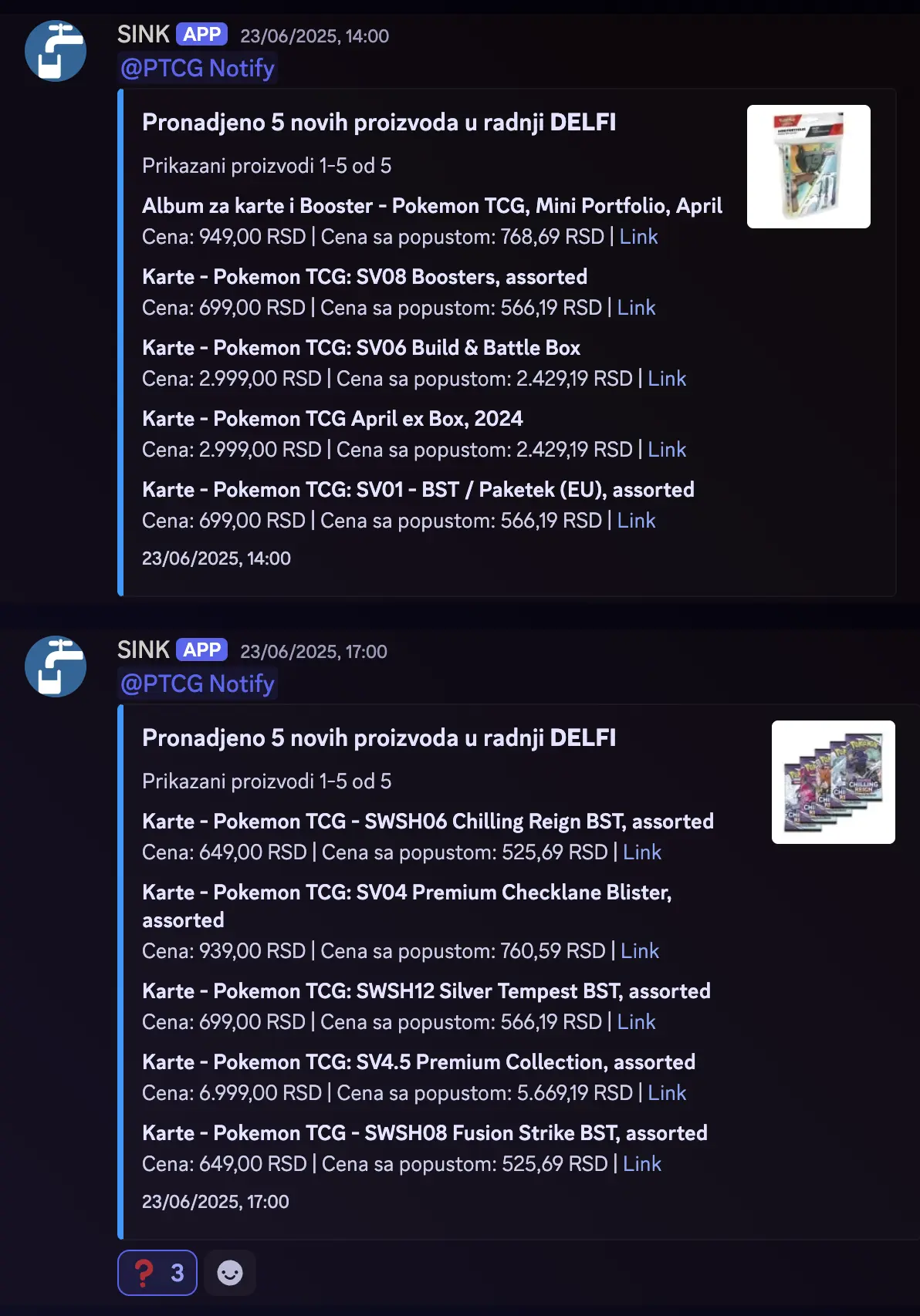
In the first part of the series, I told the story of how a personal frustration led to a working prototype: a TypeScript script that could scrape websites for new Pokemon TCG products and send a notification to my private Discord server. It was a success - it worked! But it was also deeply limited.
The script was a blunt instrument. It could only post in one hardcoded channel (which was provided as an environment variable in the .env file), and at first it did not ping a specific role or worse, the @everyone ping. This quickly went from useful to annoying. When friends started asking, "Can you add this to my server?" or "Can it ping on our X channel instead?", I realized I didn't have a "bot". I had a script that only worked for me.
This post is about the journey of transforming that bland script into a flexible, interactive and user-friendly service that could be shared with others.
The Problem: A Bot without a Brain
The prototype had several major shortcomings that I needed to address:
- No user interaction: There was no way for anyone to communicate with the bot. It was a one-way street of notifications.
- Hardcoded configuration: The notification channel was written directly in the code. Changing it meant I had to edit the code and restart the script.
- Ping nuisance: There was a dilemma where I had to decide to either use the
@everyoneping or create a new role for the bot to ping instead. Most of the responses regarding the@everyoneping were unfavorable, meaning that this was not a sustainable or polite way to operate.
To fix this, I needed to give the bot a way to be communicated and configured directly withing Discord.
Choosing a framework: Hello discordx
While you can handle commands with the base discord.js library, I wanted a more structured and scalable approach. As an Angular developer, I love clean, organized code, and that's when I discovered discordx.
discordx is a framework built on top of discord.js that uses TypeScript decorators (@Slash, @On, etc.) to define commands and event handlers. This allowed me to create a clean, modular structure where every command and event could live on its own file. It felt organized and familiar.
Giving admins control: The first slash commands
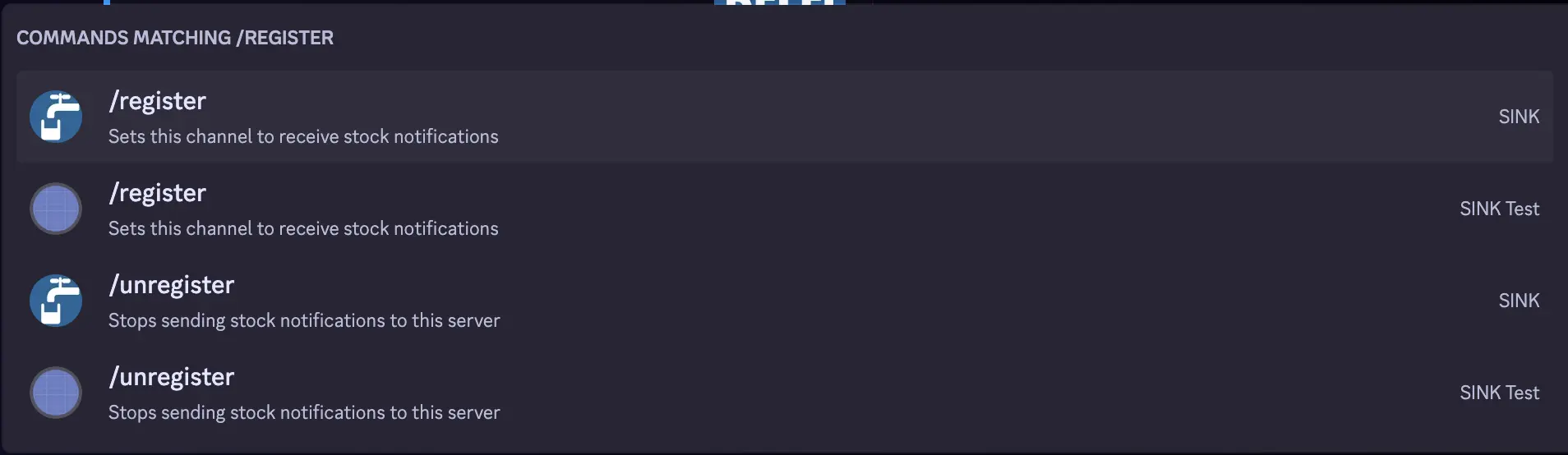
The first priority was to let server administrators control where the notifications were sent. I created two essential admin-only commands:
/register: When run, this command designates the channel where the command was sent as the server's official destination for all stock alerts./unregister: This command removes the setting, stopping all notifications on that server.
This was the first major architectural change. I had to create a ServerConfigManager that would save these settings to a persistent JSON file, mapping a Server ID to a Channel ID. Now, the bot could manage dozens of servers, each with their own unique notification channel.
Solving the ping problem: The reaction role system
With channel selection solved, the next big problem were the pings. I already knew that the @everyone ping was not going to be considered. So, how could I notify only the people who genuinely wanted the alerts?
The solution was to create an opt-in role. The idea was simple: the bot would create a role (e.g. "@PTCG Notify"), and only users with that role would get pinged. But how could I possibly make it easy for the users to get this role without needing an admin to assign it manually?
This led to my favorite feature of the bot: the automatic reaction-role setup.
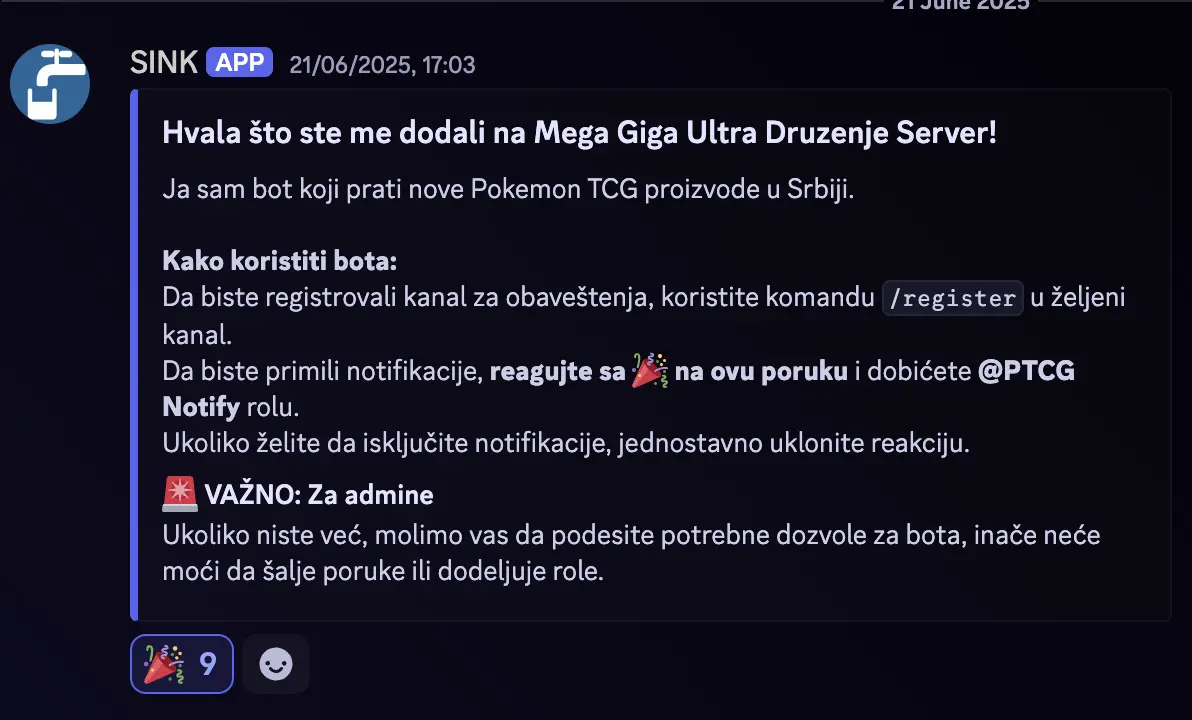
I used the @On("guildCreate") event decorator to trigger a sequence of actions whenever the bot joins a new server:
- Find a suitable channel to post in (like
#general,#welcome,#bot-commands, etc.) - Automatically create the
@PTCG Notifyrole - Post a welcome embed message explaining what the bot does
- Add a 🎉 reaction to its own message
Finally, I created event handlers for messageReactionAdd and messageReactionRemove. Whenever the users clicks the 🎉 reaction on that specific welcome message, the bot automatically assigns them the @PTCG Notify role. If they remove their reaction, the role is removed. It's a completely self-service, user-friendly system.
The result: A True "Bot"
With these changes, the project had transformed. It was no longer a personal script but a genuine, sharable Discord bot. It could join any server, allow users to opt-in to notifications, and give administrators control over its behavior. The notification now respected the community by pinging a specific role instead of @everyone.